A color model, or color space, is a mean to represent colors as points within a specific space. Several color models exist, some with multiple variations. This section focuses on the most common color spaces.
The RGB color model
The RGB (red, green, blue) color model uses additive color mixing, where every colors can be made by combining primary colors (red, green, blue) with the appropriate intensity (Figure 1). The RGB color model is used by screens, and, as a consequence, ubiquitous in image processing.

Figure 1:Additive color mixing.
The RGB model is based on a 3D Cartesian coordinate system, as seen below. By convention, the values , and are assumed to be in . Nevertheless, digital images are generally quantized on 8 bits per band, thus giving values , , and to lie on values in . Therefore a total of colors can be generated.
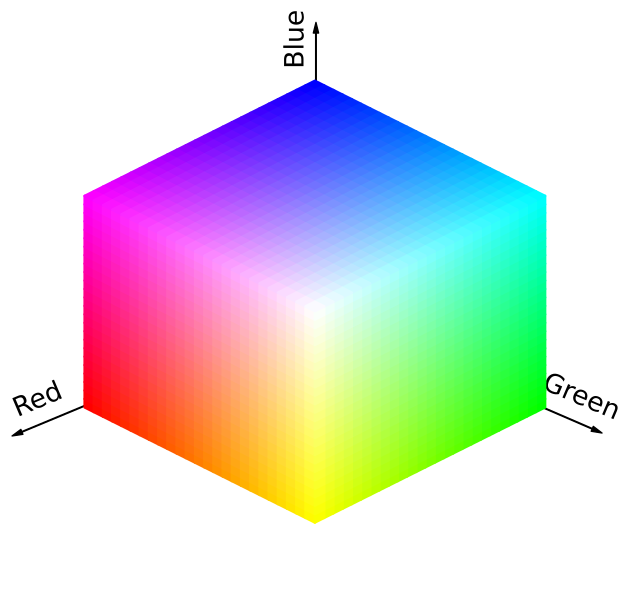
Figure 2:The RGB color space.
A “dual” color model is the CMY (cyan, magenta, yellow) color model. It is not designed to be used in image processing but rather for color printing since adding pigments on a white surface removes light: this explained why it uses subtractive color mixing rather than additive color mixing.
The HSV color model
The RGB and CMY models do not directly relate to the human sense of color. Instead, the HSV (hue, saturation, value) color model corresponds closely with the way humans describe and interpret color. Indeed, hue corresponds to the type of color (such as orange, cyan or blue), saturation corresponds to the purity of color, and value corresponds to the brightness. In addition to this, the HSV model has the advantage to extract the grayscale information from a color image thanks to the value band, making it suitable for some grayscale techniques.
The HSV color model is represented by the cylinder, as seen below.
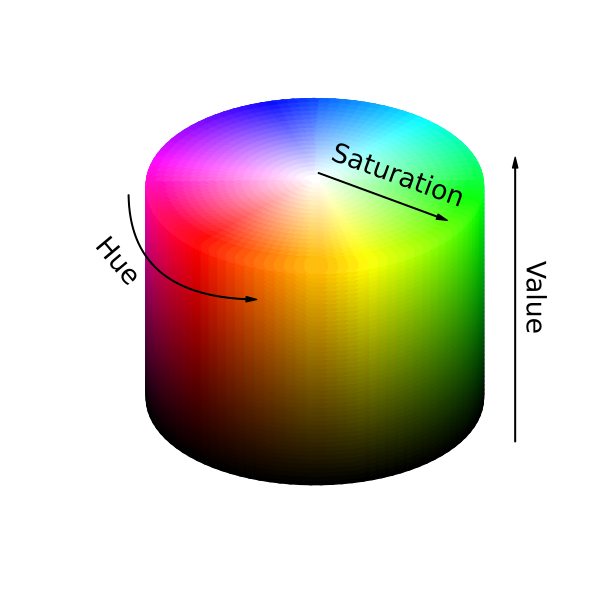
Figure 3:The HSV color space.
The conversion from RGB color model to HSV color model is performed using the following operations, assuming that the RGB values have been normalised in the range , hue is in the range , saturation and value are in the range :
with .
The HSV color model has not to be confused with the HSI (hue, saturation, intensity) and HSL (hue, saturation, luminance) color models which mainly differ from the HSV color model in the third band.
A color generator
You can use the sliders below to combine the different bands of the previous color models, and perceive the effect on the color.
Try to find the RGB combination for creating yellow , orange , purple , or cyan !