Python is a modern high-level language with many functions dedicated to image processing. On this page, you will find how to:
install Python and Jupyter on a computer, if needed,
write and execute notebooks,
start programming and import specific functions.
Installation
Python, Jupyter Lab and VSCodium are already installed on the classroom computers. This section provides instructions for installing them on your own computer.
Anaconda is a Python distribution specialized in data science and machine learning. For individual use, it is free and sufficient to perform the image processing exercises. Download and install Anaconda if Python is not already present on your computer. Be careful to choose version 3 (or higher) of Python!
Anaconda contains a computational environment for creating Python programs, namely Jupyter Lab. It is an open-source software for interactive computing and provides a modern interface to write notebooks. Alternatives like Jupyter Notebook of VSCode might also be used.
Figure 1 shows the interface of Jupyter Lab. The interface is quite intuitive, but you can read this page to learn more.
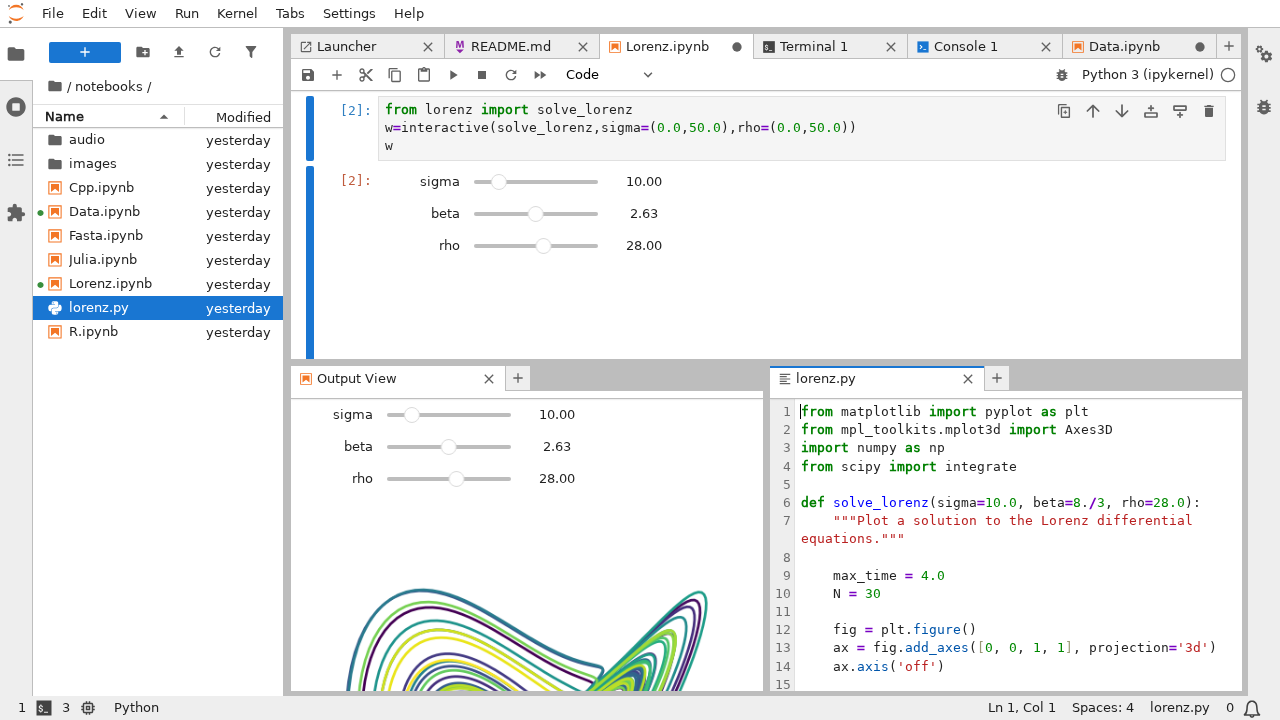
Figure 1:Jupyter Lab.
Jupyter Lab should be included in the Anaconda installation. But if not, you will find instructions for installing Jupyter Lab here.
Start JupyterLab by typing in a console:
jupyter labor
jupyter-labWriting a notebook
A notebook is a file that contains code, but also the results produced by the code (such as numerical values or images) and comments. A notebook is divided into cells which are either “code” cells or “markdown” cells. By pressing Ctrl + Return on a cell, the code of this cell (only this cell!) is executed.
Code cells
By default, cells are expected to contain code. They are divided between an input (with Python instructions) and an output (the result).
For example the following input:
a = 21
b = 42
c = a + b
print("The value is " + str(c))
results in this output:
The value is 63Markdown cells
You can change a code cell to a markdown cell by choosing Markdown from the drop-down list in the toolbar. Markdown is a very simple language to format text (e.g. writing titles, lists or equations). This will be useful not only for adding notes and comments in your code, but also to write the project report at the end of the course.
For example:
The *convolution* between **two** images $f$ and $g$ is defined as

$$
(f*g)(m,n) = \sum_u \sum_v f(u,v) g(u-m,v-n)
$$
results in
The convolution between two images and is defined as
Please read this help to learn the markdown syntax.
Writing code
The core of Python does not have functions for scientific computing, so you have to import modules. Generally, we will use the three following modules:
numpy (version 1.2 or higher), which provides functions for general scientific computing,
scikit-image (version 0.17 or higher), which is a collection of algorithms for image processing,
matplotlib (version 3.4 or higher) to display images.
Normally, these packages are installed with Anaconda. If this is not the case, read the documentation given above to get help.
Python modules are imported in your code by using the instruction import.
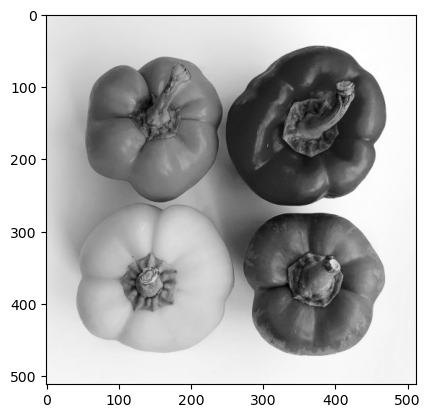
As an example, the following code opens an image, convert it to grayscale and display the two versions:
# This is a comment inside the Python code, so it is not executed
# Comments are lines beginning with a #

# Import the sub-module 'io' in the module 'skimage' (a short term for scikit-image),
# and rename it as 'io' (because skimage.io is a bit long and there is no harm in being lazy 😴)
import skimage.io as io

# Import the sub-module 'color' in the module 'skimage', and rename it as 'clr'
import skimage.color as clr

# Import the sub-module 'pyplot' in the module 'matplotlib', and rename it as 'plt'
import matplotlib.pyplot as plt

# The function 'imread' in 'skimage.io' load an image from a filename
f = io.imread("src/figs/peppers.png")

# Convert the color image f in grayscale image g
g = clr.rgb2gray(f)

# Display the color image f with the function 'imshow' in 'matplotlib.pyplot'
plt.imshow(f)

# Show the image f
plt.show()

# Display the grayscale image g
plt.imshow(g, cmap="gray")

# Show the image g
plt.show()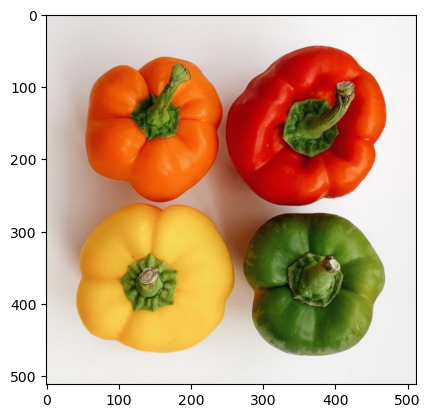
For Matlab users
Python, with the use of the module Numpy, is very similar to Matlab. Both work with scripts, and the functions are very similar. However, some major differences exist.
Modules
Python is intended to be a general-purpose programming language. Thus, scientific functions are not included into its core, contrary to Matlab. These functions must be loaded through modules like Matplotlib or Numpy. Fora example, Numpy is loaded with:
import numpy as npThe functions in Numpy are then accessible with np.name_of_the_function.
Vectors and matrices
While Matlab uses round brackets in vectors and matrix, Python uses square brackets. In Matlab, the first element has index 1, while it has index 0 in Python.
| Matlab | Python |
|---|---|
a(1) | a[0] |
B(3,5) | B[2,4] |
Semicolon
There is no semicolon (;) at the end of the statements with Python.
To go further...
To go further, you can read this cheatsheet or this article on Numpy.